Search: what you are looking for
The Search page holds your rules. A scan keeps a job post only when it passes them; the scores then put the best first.
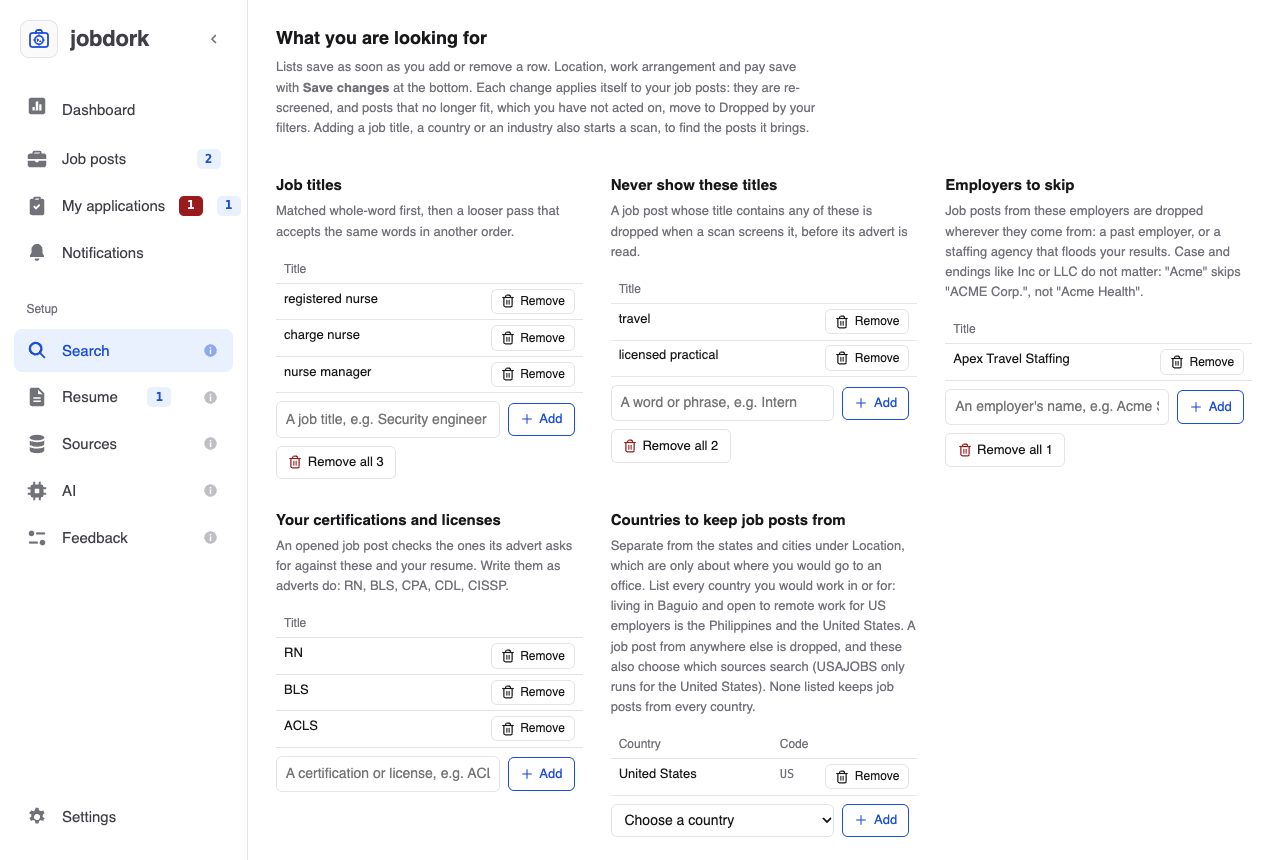
Saving. Lists (titles, countries, dealbreakers…) save as soon as you add or remove a row. Location, work arrangement and pay save with Save changes at the bottom. Every change re-checks your stored job posts at once: posts that no longer fit, and that you have not acted on, move to Dropped by your filters. Adding a job title, a country or an industry also starts a scan, to find the posts it brings.
Job titles
The titles to look for, such as registered nurse, store manager, accountant. A post's title must match one. Whole words first ("charge nurse" finds "Charge Nurse - ICU"), then a looser pass that accepts the same words in another order ("nurse, charge"). Add one at a time; Remove all clears the list.
Several short titles find more than one long one: registered nurse and charge nurse rather than registered nurse or charge nurse in a hospital.
Never show these titles
Words that drop a post when its title contains them: intern, travel, senior if you are not. The advert is not read for these, only the title.
Employers to skip
Employers whose job posts you never want: a past employer, or a staffing agency that floods your results. Their posts are dropped wherever they come from (keyword boards, the built-in employer boards and your own), and the ones already stored go at the re-screen a change starts. Case and endings like Inc, LLC or Corp do not matter: Acme skips ACME Corp. and Acme, Inc., but not Acme Health, a different name.
A dropped post shows on Job posts' Dropped list with the reason an employer you skip. Skip this employer, in the job post window, adds its employer here in one click; remove a name here to see its posts again.
Your certifications and licenses
The ones you hold, written the way adverts write them: RN, BLS, CPA, CDL, CISSP. When you open a post, its certifications box ticks the ones you have, from this list and your resume.
Countries to keep job posts from
Every country you would work in or for. This is separate from where you would work in person, which is only about distance: someone living in Baguio who wants remote work for US employers lists the Philippines and the United States. A post from any other country is dropped. These also choose which sources search (USAJOBS only runs for the United States). None listed keeps posts from every country.
Dealbreakers
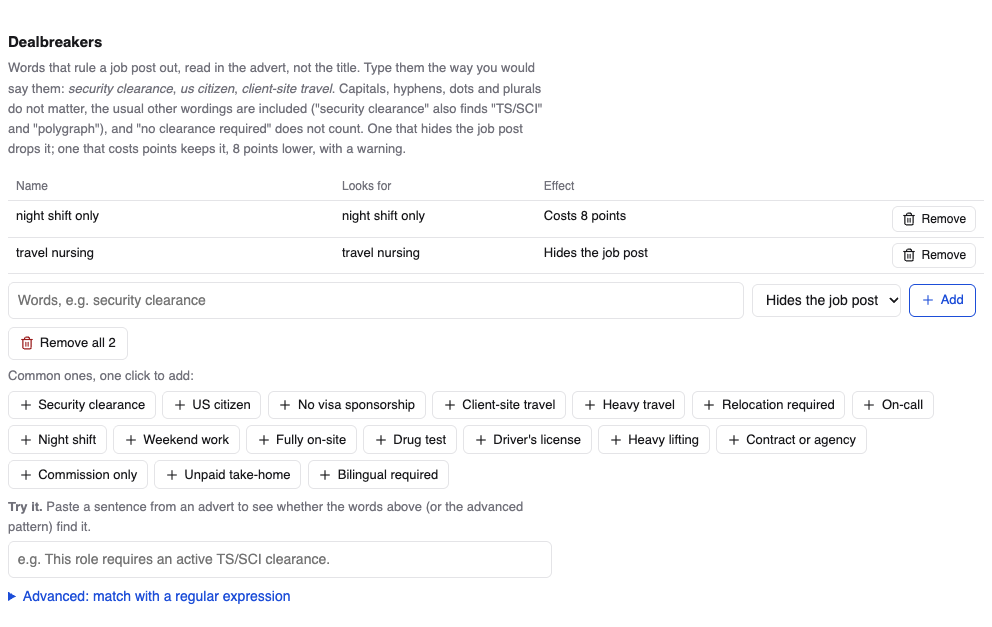
Words in the advert (not the title) that rule a job out: security clearance, us citizen, night shift only, 100% travel. Type them the way you would say them. Capitals, hyphens, dots and plurals do not matter, the usual other wordings are included ("security clearance" also finds "TS/SCI"), and "no clearance required" does not count.
Each one either:
- Hides the job post: the post is dropped, and listed under Dropped by your filters with the reason; or
- Costs 8 points: the post is kept, 8 points lower in Match, with a yellow warning.
Common ones, one click to add offers the usual ones. Several ways of saying one thing can be separated by commas: on call, pager duty.
Try it: paste a sentence from an advert to see whether your dealbreakers catch it, before you rely on them.
Advanced: match with a regular expression is for patterns plain words cannot say, with a table of what each symbol means. Most people never need it.
Location, work arrangement and pay
- Country, State (or Province, Region) and City: where you would work. Only the country is required. Add as many states and cities as you like; each shows below the picker, with × to take it out.
- A post anywhere in a state you added is kept.
- A post within the radius of a city you added is kept. Start typing the city and pick it from the list; choosing a state first narrows the list.
- Add neither, and posts from the whole country are kept.
- Radius: how far from one of your cities a job's office may be, in miles or kilometres (mi or km), or exact for those cities only. Not used when you chose no city. A remote job is kept wherever it is.
- Arrangements to keep: remote, hybrid, on-site. None ticked keeps all three. A post that says nothing about it is always kept, tagged Arrangement not stated.
- Salary floor and its currency: the lowest yearly pay you would take. A post is hidden only when it states pay and even the top of its range is below your floor. A post that states no pay (most of them, about seven in eight) is kept and tagged Unconfirmed salary. Hourly and daily pay is turned into a yearly figure first ($40 an hour is about $83,000 a year). Pay in another currency is never converted, so it never hides a post.
Save changes saves all of these at once.