What it does for you
-
Reads employers' own boards
420 boards ship built in, on Workday, Oracle, Greenhouse, Lever, Ashby and more, beside keyword sources that need no account. Add any other employer from its careers page.
-
Your rules, with reasons
Job titles, place, pay and dealbreakers decide what you see. Every post it drops is counted, with the reason. No paid listings, no hidden ranking.
-
Ranked against your resume
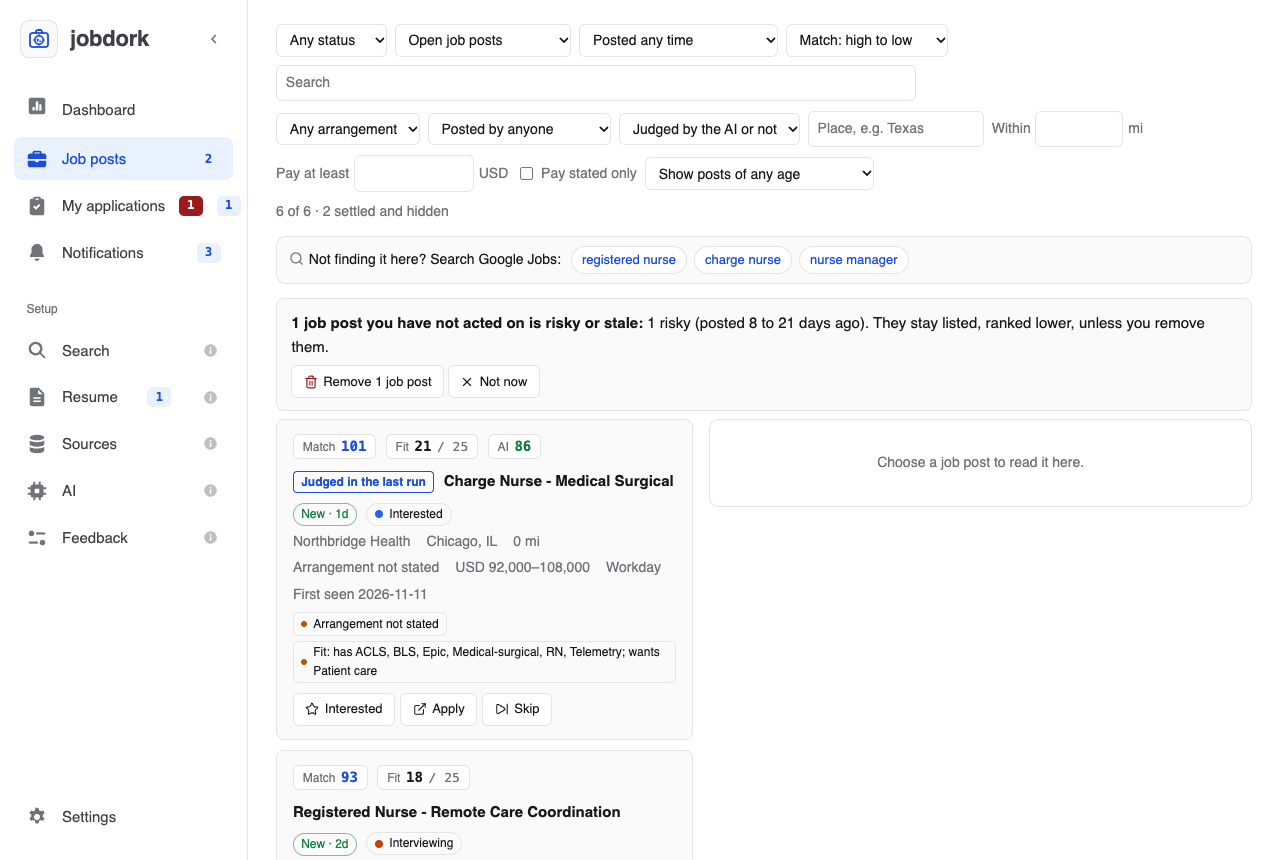
A Match score for title, place and pay, and a Fit score for the skills an advert asks for that you have and lack. Worked out on your computer. Scores explained
-
AI that shows its work
Optional. Ollama on your own computer, Anthropic, Gemini, OpenAI or Groq with your key, or your own coding agent (Claude Code, Codex, Gemini CLI, Cursor) with no key at all. It judges posts and drafts cover letters, tailored resumes, interview prep and recruiter messages; a second model checks every claim against your resume and the advert. It never applies for you. The AI page
-
A resume that gets read
How a tracking system reads your resume file, and what to fix; how its lines are written; each post's ATS match; and a tailored resume in Indeed's layout and length, as PDF and Word. Resume
-
Your applications in one place
Every job you applied to, by stage, with the date of each step, the next one and when, who you are talking to, what you sent, and your notes. My applications
-
Fewer repeats and ghost jobs
Copies of one job show as one post. Posts are aged from the employer's own dates, and listings over 90 days old are dropped.
-
Runs while you're away
A daily scan on your computer's own scheduler, with a notification when it finds new posts. Settings
For every kind of job, not only tech
The built-in boards span 27 industries, from banking, healthcare and retail to energy, education, logistics and manufacturing. Federal jobs come in through USAJOBS with a free key. The demo in this guide is a nurse in Chicago looking for a nurse manager role.
Outside the US, a place list of 70,026 places in 245 countries understands where you are, and distances come in miles or kilometres. Fewer employers are reached outside North America; the region-by-region numbers say how many.
Three steps
- Install it and answer setup's questions, about five minutes: your resume, an AI if you want one, the job titles you want, where you are and your pay. Getting started
- Run a scan. The first posts arrive in about a minute. The Dashboard
- Read the best first and mark what you did: interested, applied, interviewing. The next scan shows only what is new, and every job you applied to is kept in My applications. Job posts
How it compares
| A job board | jobdork | |
|---|---|---|
| Where jobs come from | Its own listings, and copies of other sites' | Employers' own hiring systems and careers sites, and keyword searches |
| What decides what you see | The site's ranking, often paid listings first | Your rules; every dropped post counted and named |
| Your resume and searches | On their servers, with an account | On your computer, with no account |
| Cost | Free, paid for with your attention and data | Free and open source; a hosted AI's own fees if you pick one |
Questions
Is it free? Yes. jobdork is open source under the GNU GPL v3. If you choose a hosted AI such as Anthropic or OpenAI, that provider charges for its use; Ollama on your own computer costs nothing.
Does it apply for jobs for me? No. It finds and ranks posts and drafts letters for you to read. You apply on the employer's site.
Does it search LinkedIn or Indeed? No: those sites refuse automated readers, and jobdork does not work around them. A Search Google Jobs link opens your search in Google's job results instead.
Where does my data go? Your resume, searches and job posts stay in a folder on your computer. The privacy policy lists every address jobdork contacts and why.
Why does my computer warn me when I open it? The installers are not code-signed, so macOS and Windows warn once. Each installer carries a build attestation instead, so you can check it was built by this project's own workflow. On a Mac, installing with one command in Terminal checks it for you and skips the warning. How to open it and check it
Get started
New versions: on GitHub, choose Watch → Custom → Releases, or follow the releases feed. The app also tells you once a day when one is out.