Sending feedback
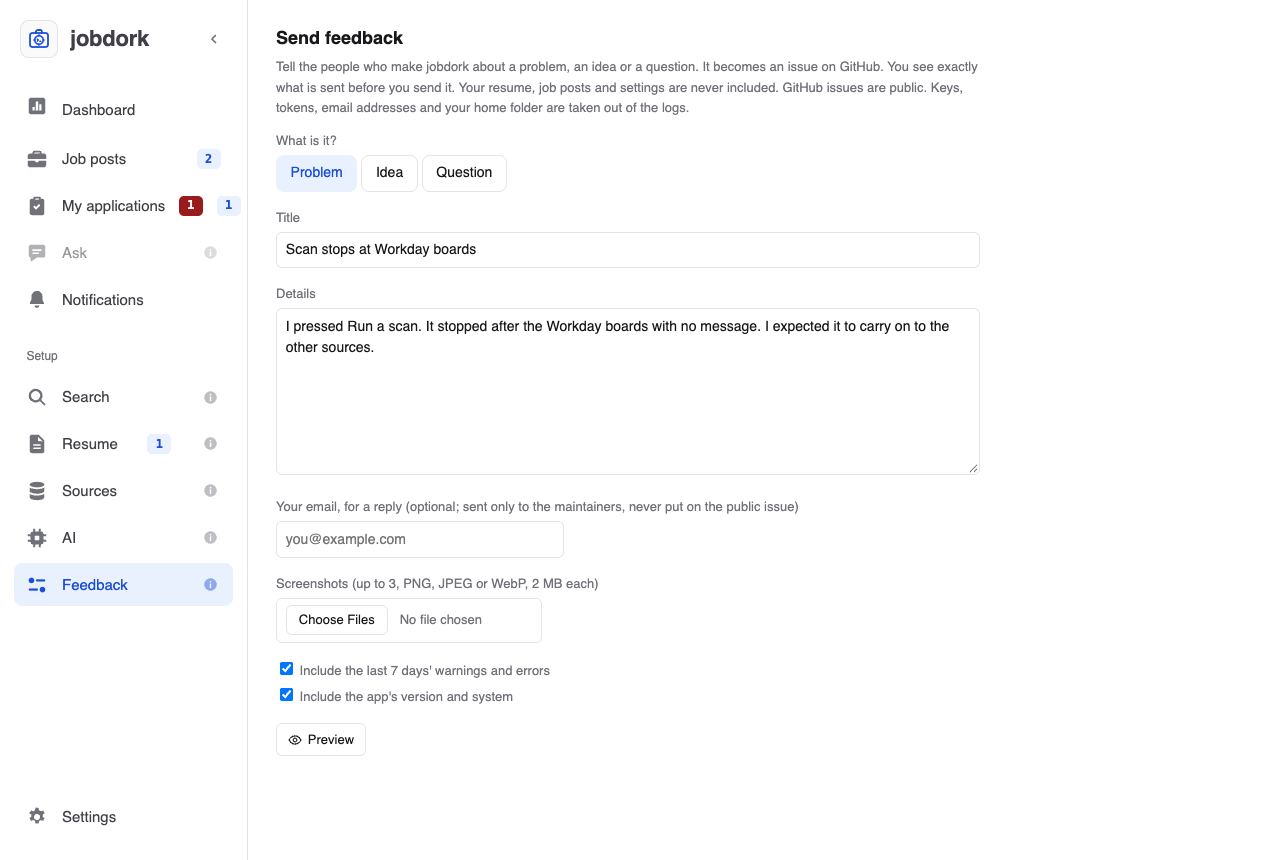
Found a problem, have an idea, or a question? The Feedback page (Send feedback) sends it to the people who make jobdork. It becomes an issue on the project's GitHub page, where you can follow it.
Writing it
- What is it? Problem, Idea or Question.
- Title: one line, like "Scan stops at Workday boards".
- Details: for a problem, what you did, what you expected, and what happened instead. The more exact, the faster it is fixed.
- Your email, for a reply (optional): sent only to the maintainers, never shown on the public issue.
- Screenshots (optional): up to 3 pictures, PNG, JPEG or WebP, 2 MB each. A picture of the problem often says more than the details.
- Include the last 7 days' warnings and errors and Include the app's version and system: both ticked by default, and usually what a problem needs to be found.
Taking a screenshot
Mac: Shift-Command-4, then drag over the part to capture; it lands on your Desktop. Windows: Windows-Shift-S, then drag; open the notification to save it. Then choose it under Screenshots.
Check what will be sent
Preview shows exactly what will be sent, before anything goes.
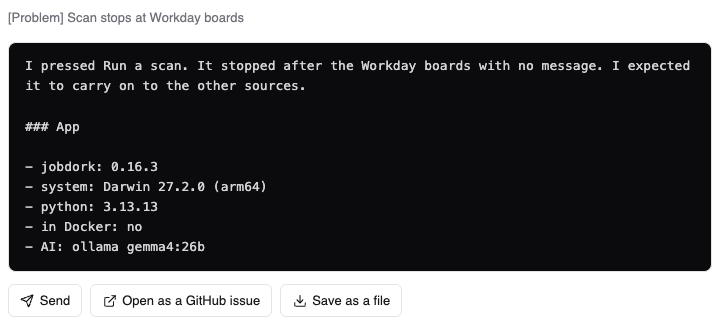
Your resume, job posts and settings are never included. Keys, tokens, email addresses and your home folder are removed from the logs. GitHub issues are public, so read the preview through.
Sending it
| Button | What happens |
|---|---|
| Send | Sent straight to the maintainers. Nothing to set up, no account needed. It says Sent. Thank you., with See the issue to follow it |
| Open as a GitHub issue | Opens a new issue on GitHub in your browser, filled in, for you to post yourself. Needs a free GitHub account; screenshots are added there by dragging them in |
| Save as a file | Saves the report as a file, to send another way or later |
If Send is greyed out, sending is switched off in your copy of jobdork: use one of the other two.
Other ways
- On GitHub: open an issue yourself, or comment on an existing one.
- A security problem (something that could expose your data or someone else's): do not post it publicly; follow SECURITY.md.