The user guide
jobdork finds job posts for you. It reads job boards and employers' own career sites, checks every post against what you asked for (job titles, place, pay, the things you will not do), scores it against your resume, and remembers what you already did about each one. If you want, an AI reads the adverts too, and helps you write a cover letter or tailor your resume.
Everything stays on your computer. There is no account, and jobdork never applies for a job for you.
How it works, in six steps
- Install it and answer setup's questions (about five minutes): your resume (your master resume, if you keep one), an AI (optional), the job titles you want, where you are, and your pay. Getting started
- Run a scan. jobdork reads the boards and keeps the posts that pass your rules. The first one finishes in about a minute. The Dashboard
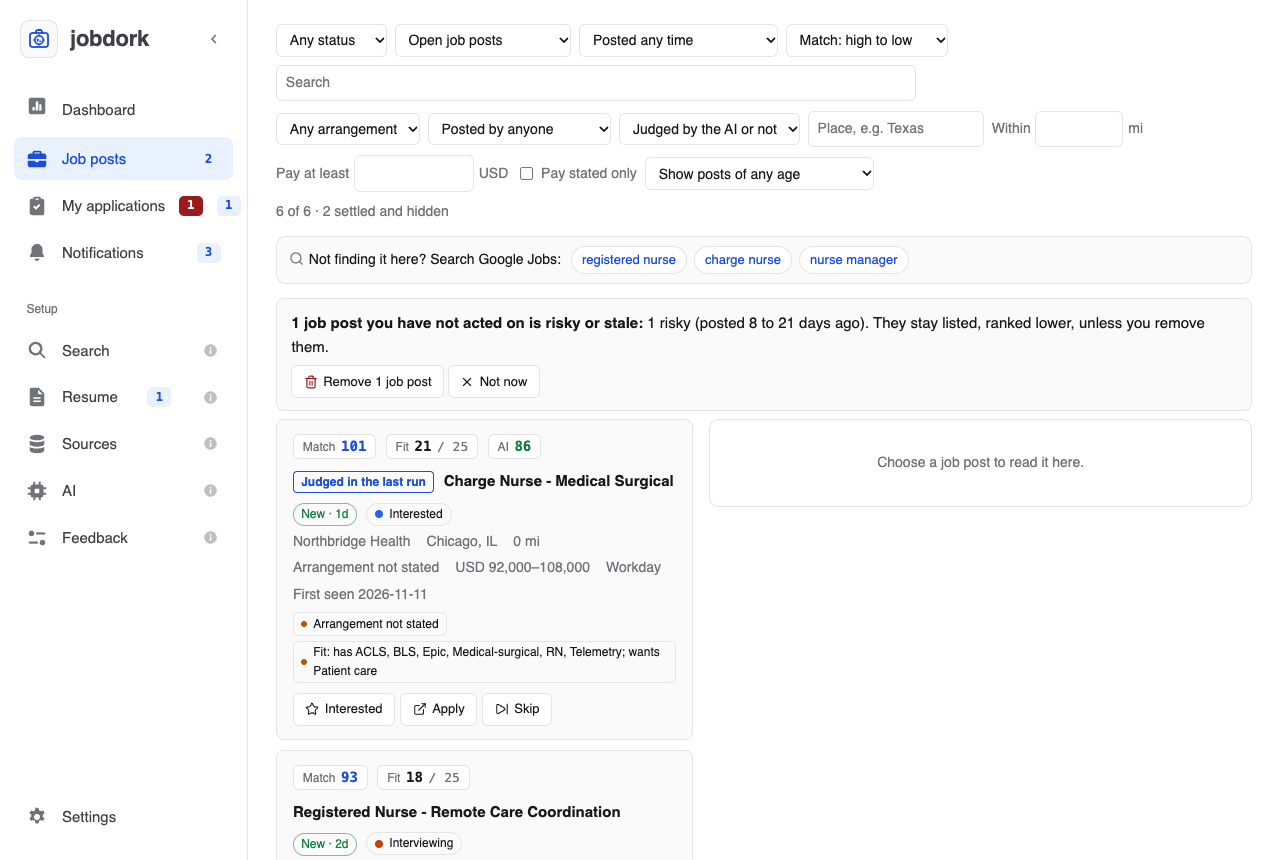
- Read your job posts, best first. Each has a Match score, a Fit score and, if you set up AI, an AI score. Job posts and Scores explained
- Open a post to read the whole advert beside the list, see which of your certifications it asks for and its ATS match, and have the AI write a tailored resume, a cover letter, interview prep or a recruiter message. The job post window
- Mark what you did: interested, applied, interviewing, and so on. jobdork remembers, and the next scan shows only what is new. Every job you applied to is kept, with its dates, next step and notes. Statuses and tags and My applications
- Let it run by itself: a daily scan, with a notification when it finds something. Settings
The pages of the app
| Page | What it is for |
|---|---|
| Dashboard | Start a scan and the other runs; see how they went |
| Job posts | The posts that passed your rules, with filters, and the one you chose beside them |
| My applications | Every job you applied to, by stage: dates, next step, contact, what you sent, notes |
| Search | What you are looking for: titles, places, pay, dealbreakers |
| Resume | Your resume and the ones tailored from it, with each job's documents; how a tracking system reads it; projects and education; cover letters |
| Sources | Where posts come from; adding an employer or one post |
| AI | Choose the AI models that read adverts and check their work, or your coding agent |
| Feedback | Tell the people who make jobdork about a problem or an idea |
| Settings | Appearance, scheduled scans, notifications, updates, clean-up |
New words, such as board, dealbreaker or settled, are in the glossary.