Job posts
Every job post that passed your rules, best first. What you click here is remembered: the next scan does not show you the same post as new again.
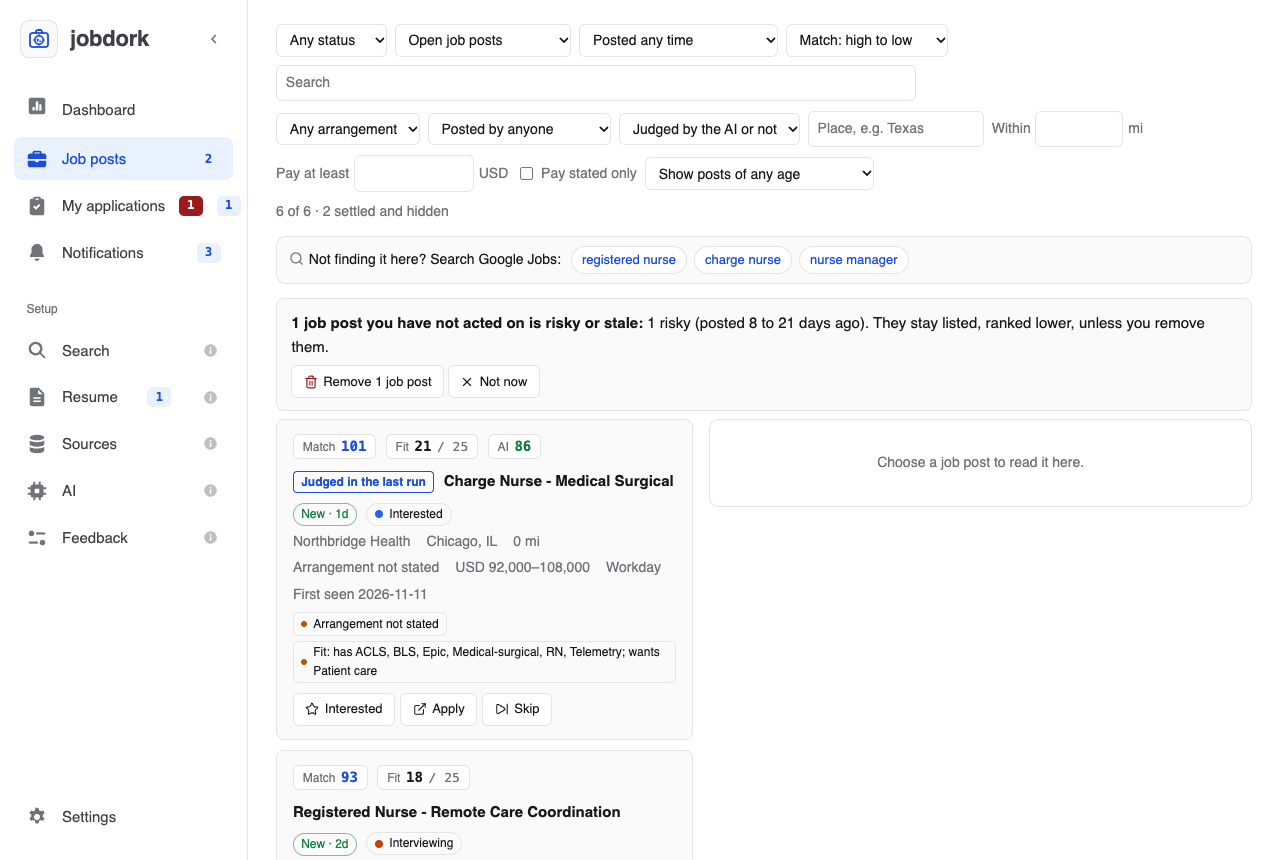
The number beside Job posts in the menu is how many posts are new: ones you have not opened yet.
One job post
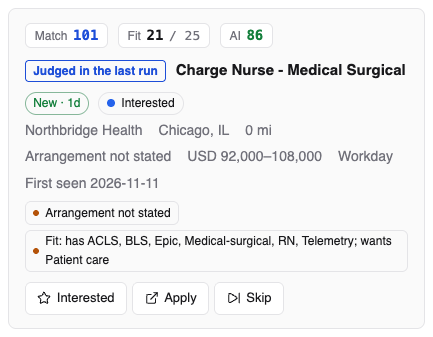
Top line, left to right:
- Match, Fit and AI: three scores, explained on Scores explained. Point at one (or tap it) to see how it was worked out.
- The job title. Click it to open the post's window.
- An age tag: New · 1d, 3d, Risky · 9d, Stale, Ghost. How long ago it was posted, and what that means for your chances (age tags).
- Recruiter: posted by a recruitment firm for a client, not by the employer (why it matters).
- The status, in colour: new, interested, applied… (all of them).
- +1 copy: the same job was found in more than one place; they are shown as one post.
Second line: the employer, the place, how far it is from you, remote, hybrid or on-site (or Arrangement not stated), the pay if the post states it, the source it came from, and when jobdork first saw it.
Tags to know, each with an amber dot, are things worth knowing before you apply: Arrangement not stated, Unconfirmed salary (no pay given), a dealbreaker that cost points, an older post, a post from Adzuna, Himalayas, Arbeitnow or Kalibrr missing from the employer's own board, and the Fit line (which of the advert's skills you have, and which you do not). See tags.
May be a job you have already applied to appears when a post looks like one you are already pursuing, reached another way (directly and through a recruiter, or through two recruiters). Applying twice can get you dropped as a duplicate candidate.
The buttons:
On a wide window (1180 pixels or more, the app's own size included), the list has the post you chose beside it, as job boards show one: click a card's title or any blank part of it, and the whole post opens on the right, scrolling on its own while the list stays where it was. The chosen card is outlined. Its status list and note move into the post, beside the status buttons. On a narrower window a post opens in a window over the page instead, and the card keeps them all.
| Button | Does |
|---|---|
| Open | Opens the post's window: the whole advert and the AI tools. Beside the list on a wide window, a click on the card does this |
| Interested | Marks it interested: worth applying to |
| Apply | Opens the employer's posting in your browser so you can apply there, and marks the post applied. If it may be a job you already applied to (see above), it asks first: Apply anyway? |
| Skip | Marks it skipped: not for you. It is hidden from now on |
| The status list | Any status |
| Note | Your own note; press Enter to save it ("Phone screen Tuesday 10am") |
Finding a post
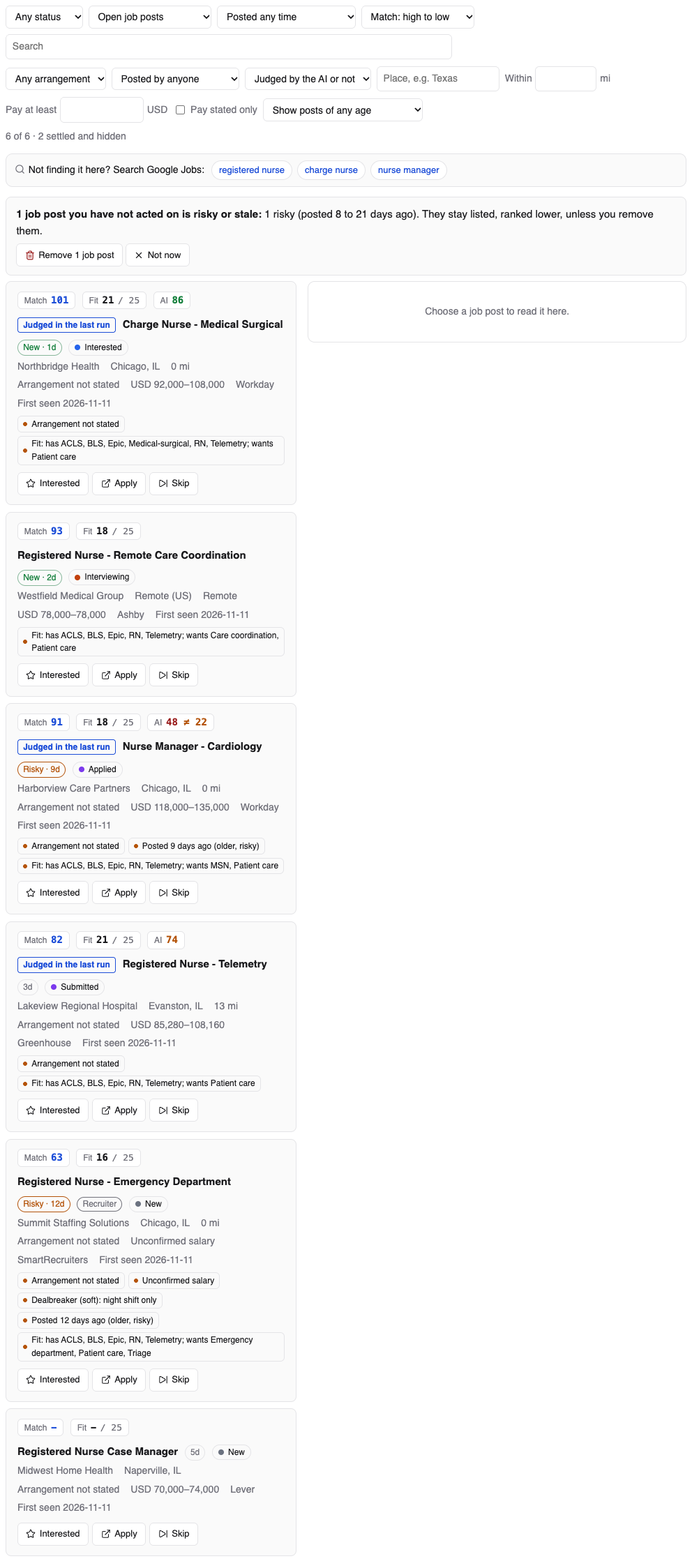
Top row:
- Any status: only posts with one status.
- Which posts: Open job posts (the default: everything not settled), New since last scan, Including settled (also the rejected, withdrawn, skipped and closed), or Dropped by your filters (below).
- Posted within 2 days, a week or 3 weeks.
- Sort: by Match, Fit or AI score, high to low or low to high; or Unscored only. Sorted by AI score, the posts the AI judged come first.
- Search: by title or employer.
Second row, to narrow the list without changing your settings: arrangement (remote, hybrid, on-site, not stated), who posted it (the employer or a recruiter), whether the AI judged it (AI-judged, Judged in the last run, Not judged yet), a place ("Texas"), within a distance, pay at least an amount, Pay stated only, and Hide posts older than (this one is saved as a setting; posts you acted on are always shown). Clear filters resets them.
The line under the filters counts what is shown, how many settled posts are hidden, and how many older posts are hidden (with show them).

Not finding it here? Search Google Jobs:, the bar above the list (with Nothing here. when nothing matches), has a button for each of your job titles. Each opens Google's job results in your browser for that title near your location, or remote if you only want remote work. It finds posts on sites jobdork cannot read, such as LinkedIn or JobStreet. Those results stay in Google: to keep one in jobdork, use Add a Job Post on the Sources page. jobdork itself sends Google nothing; your browser does, when you click.
Dropped by your filters
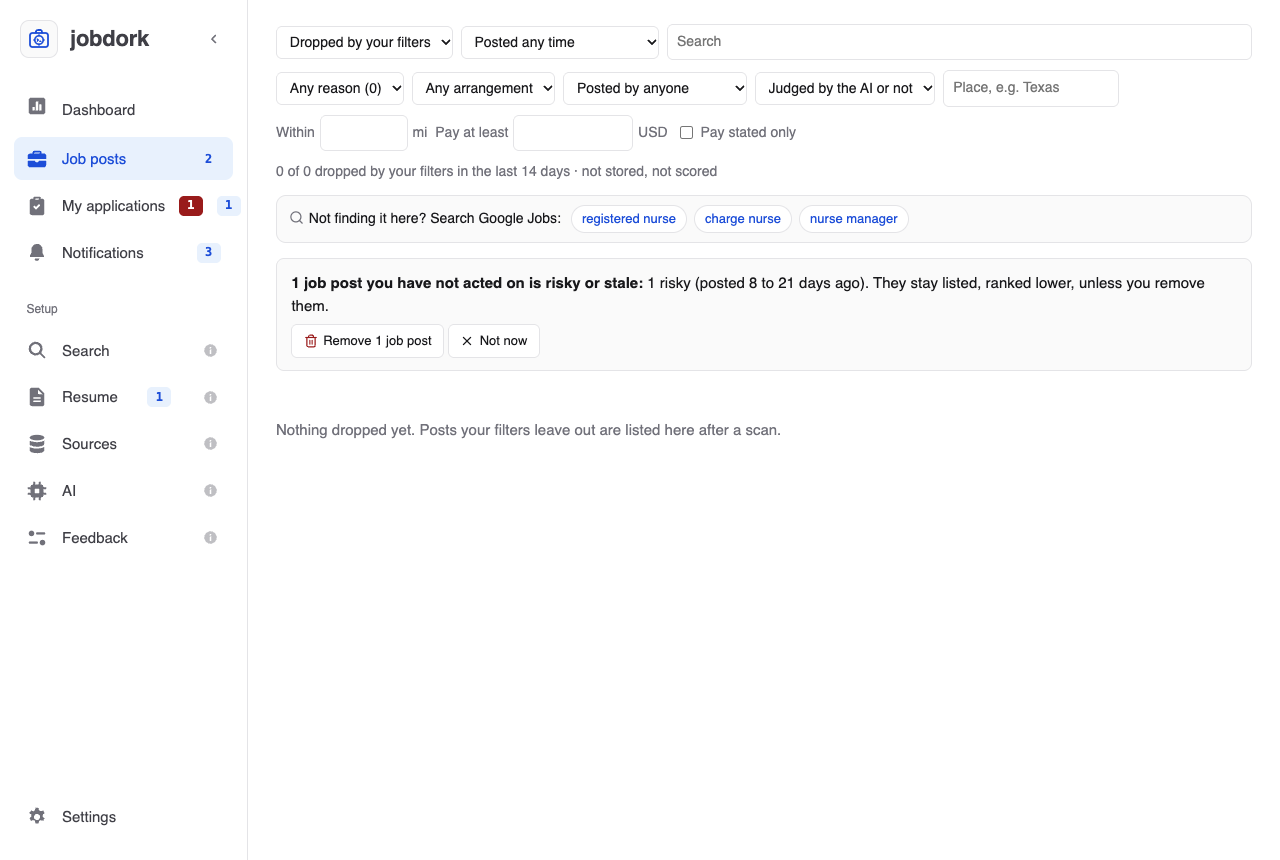
Posts a scan found but your rules left out, each with the reason: too far away, pay below your floor, a title you excluded, a dealbreaker. Pick a reason in the list beside it to see only those. Open advert opens the posting; Keep anyway moves it into your job posts, marked interested, without changing your rules.
Risky and stale posts
When posts you have not acted on are getting old, a box above the list says how many. Remove deletes them (they stay deleted on later scans); Not now keeps them. A stale post is still listed, just ranked lower: it may still be worth a try.